If you still keep everything in your head, this article is for you.
I know plenty of people who use neither a calendar nor notes. Tasks pile up, plans get lost, and the important things keep getting pushed to “later”. I used to live like that too: the day would end and I had no idea where it went, or whether I’d done anything important at all.
Peter Drucker
Until we can manage time, we can manage nothing else.
In short
- Google Calendar — routine, rhythm and an energy balance by colour.
- Obsidian — projects, tasks scheduled ahead, mornings and personal life.
- To stick with it — don’t set impossible goals, don’t overload yourself, and recharge all four batteries.
Contents — jump straight to what you need
Google Calendar
- The ideal week and examples
- Views: month on the computer, day on the phone
- Event or task
- Energy colours · Repeat
Obsidian
- The daily note and template
- The “Morning” button · Kanban and two tasks a day
- Tasks scheduled ahead — @tomorrow
How not to give up
Why your head is a bad place to store tasks
Unfinished business keeps spinning in your mind and quietly eats all your attention — until you write it down.
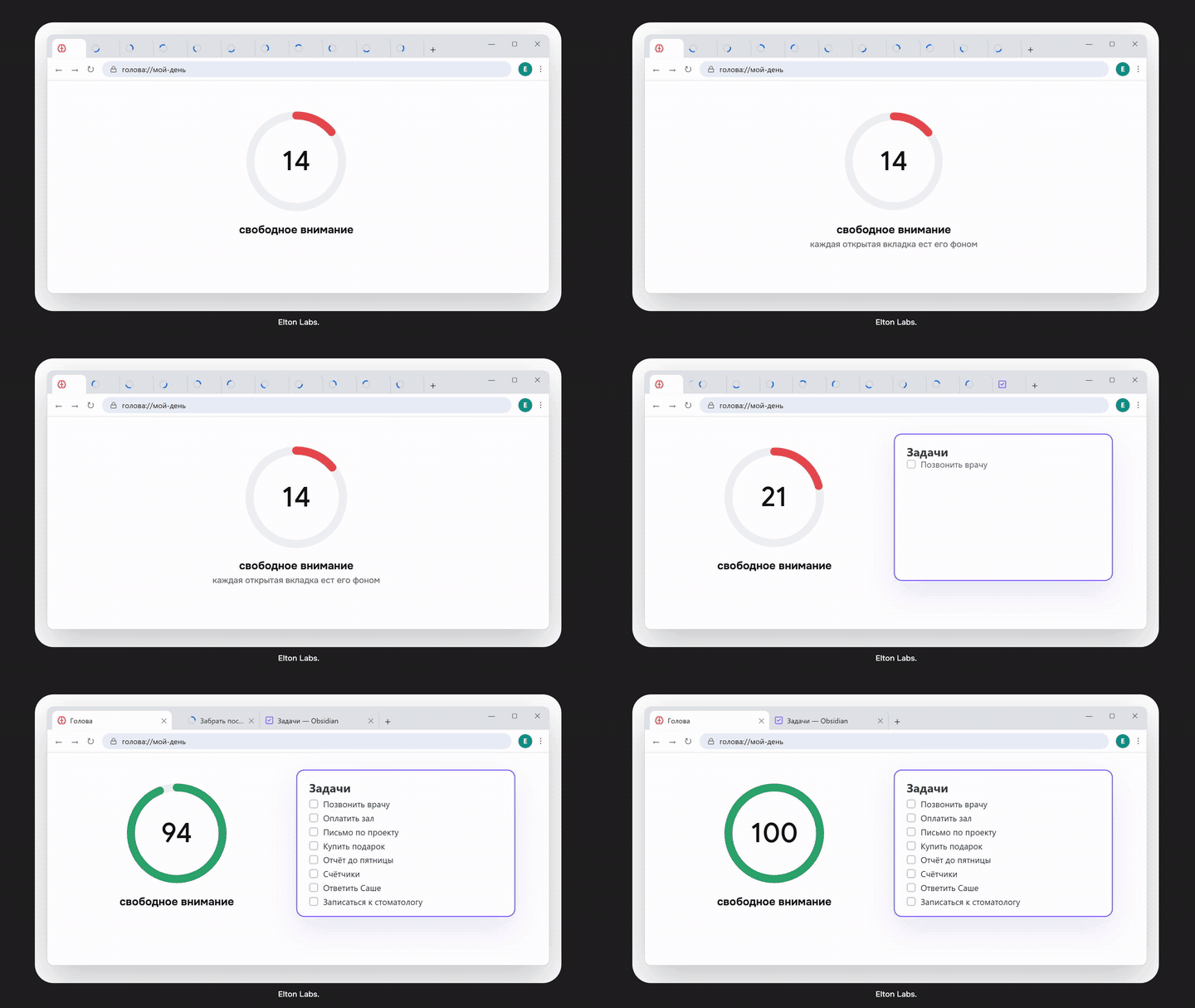
And when you can see your tasks in front of you and tick off what’s done, your brain gets proof: “I’m moving forward”. That’s what makes you want to keep going.
My system rests on two simple tools — Google Calendar and Obsidian. Let’s go through both.
Tool 1. Google Calendar
For me it handles routine, rhythm and the balance of energy across the week.
Where I started — the ideal week
I started building my system with the “Ideal Week” technique, which I picked up from the YouTuber Ali Abdaal. The idea is simple: you lay out your ideal week in the calendar, taking into account your routine and energy, the tasks that lead to your goals, and your personal life — rest, family and hobbies.
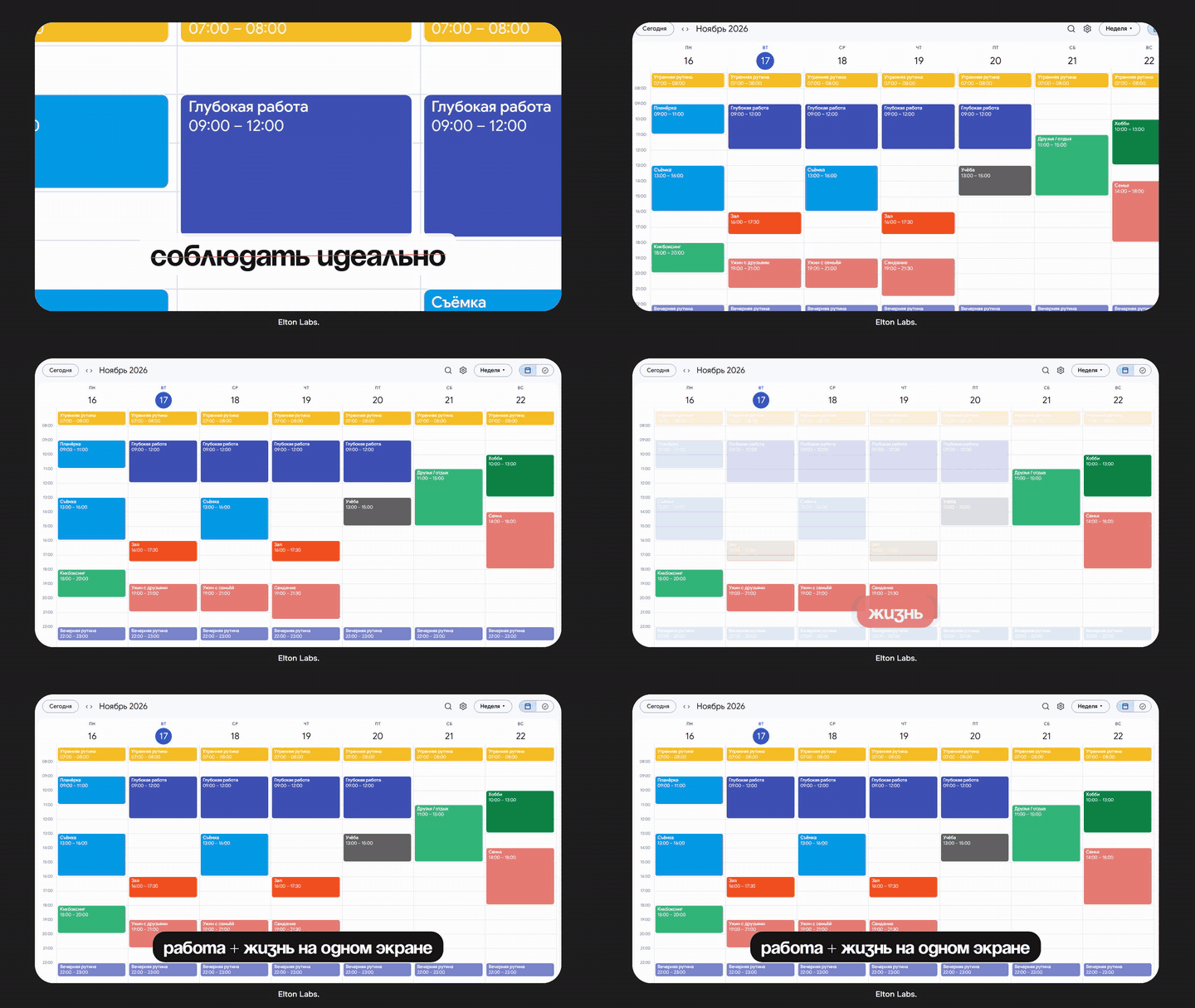
And let me answer the objection “I could never live like that” right away. At the start, the point isn’t to follow the schedule perfectly — it’s to see the whole week at once: work and life on one screen.
Ideal week examples — where to start
Don’t copy someone else’s week one-to-one — take the idea and fit it to your own rhythm.
Ali Abdaal style: mornings as a yellow block (a calm start, no work), deep-work blocks during the day, evenings in lavender (rest), the gym on Tuesdays and Thursdays, dedicated time for a date and for people close to you.
If you work 9 to 6:
Mon–Fri Sat Sun Morning wake up, 15-min morning ritual sleep in walk Day work chores, shopping family, friends Evening gym twice a week, study once hobbies plan the week If you freelance or study:
Mon–Thu Fri Weekend Morning 2–3 hours of deep work calls and email rest Day study / clients weekly review walks, people Evening sport every other day free prep for the week
No rigid frames
Over time I realised a rigid schedule doesn’t hold. Life doesn’t fit into an hour-by-hour plan: one hiccup and the whole day falls apart.
So I stopped planning every minute, and I try not to tie tasks to a time at all. Only events get a time slot, and I make sure the week has room for everything important: study, the gym, meeting people and walks. The essence of the ideal week stayed — just without rigid frames.
Views: month on the computer, day on the phone
My biggest discovery in Google Calendar was views.
- On the computer I use the month view: I see the whole workload and plan tasks according to what’s actually possible — not “everything tomorrow”.
- On the phone — only today, so I don’t get distracted.
Event vs task
Click on any day and Google offers two kinds of entries: an event and a task.
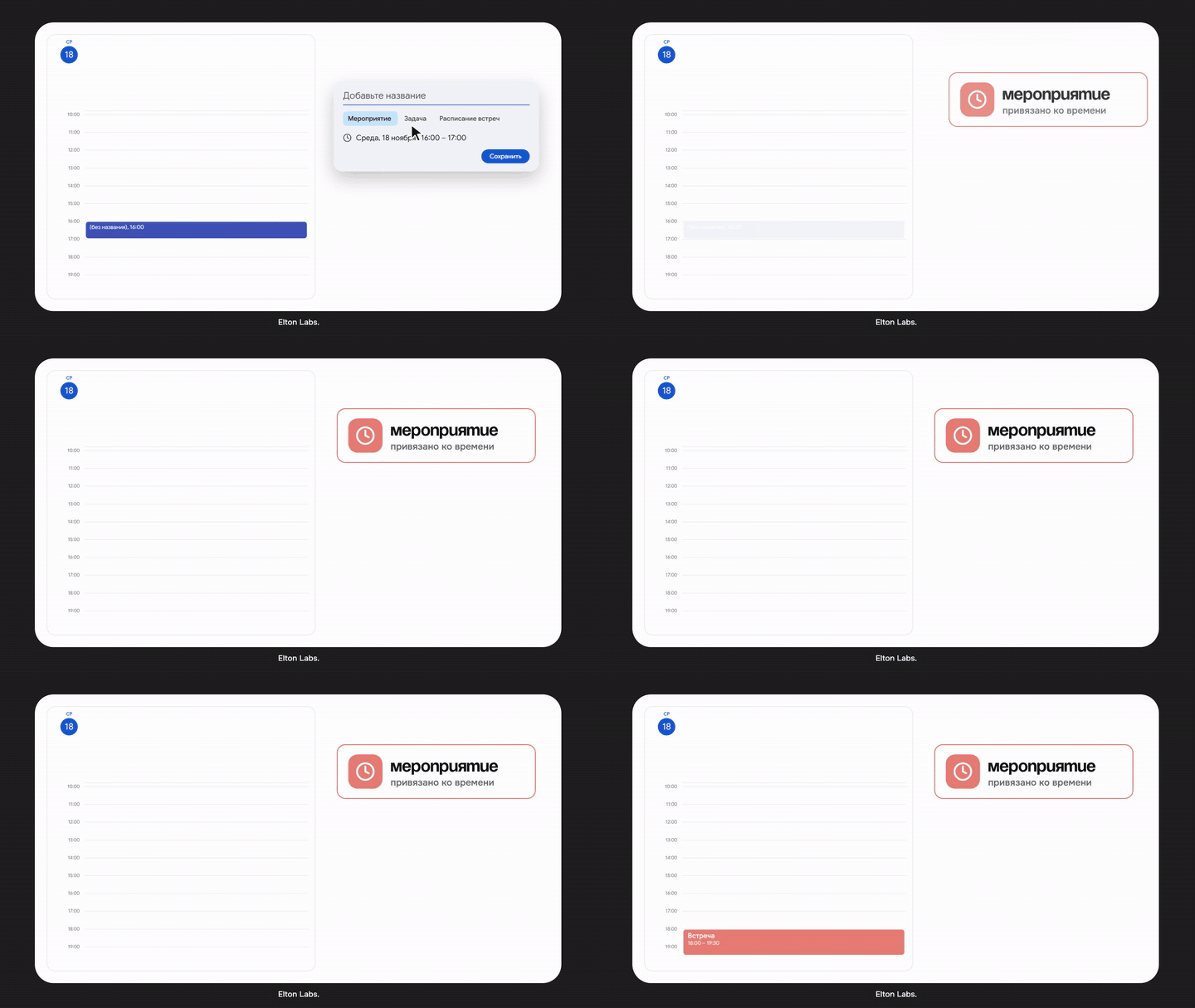
- An event is tied to a specific time: a meeting at 6 pm, the gym at 2 pm, preparing for something.
- A task is something to get done during the day: pay for the gym or a loan, vacuum the flat, wish someone a happy birthday, submit the meter readings.
A task can have a time too. But the main thing is that if you don’t do it, it doesn’t get lost: the next day the calendar shows you have an overdue task.
Energy colours
I also colour events by how they affect my energy.
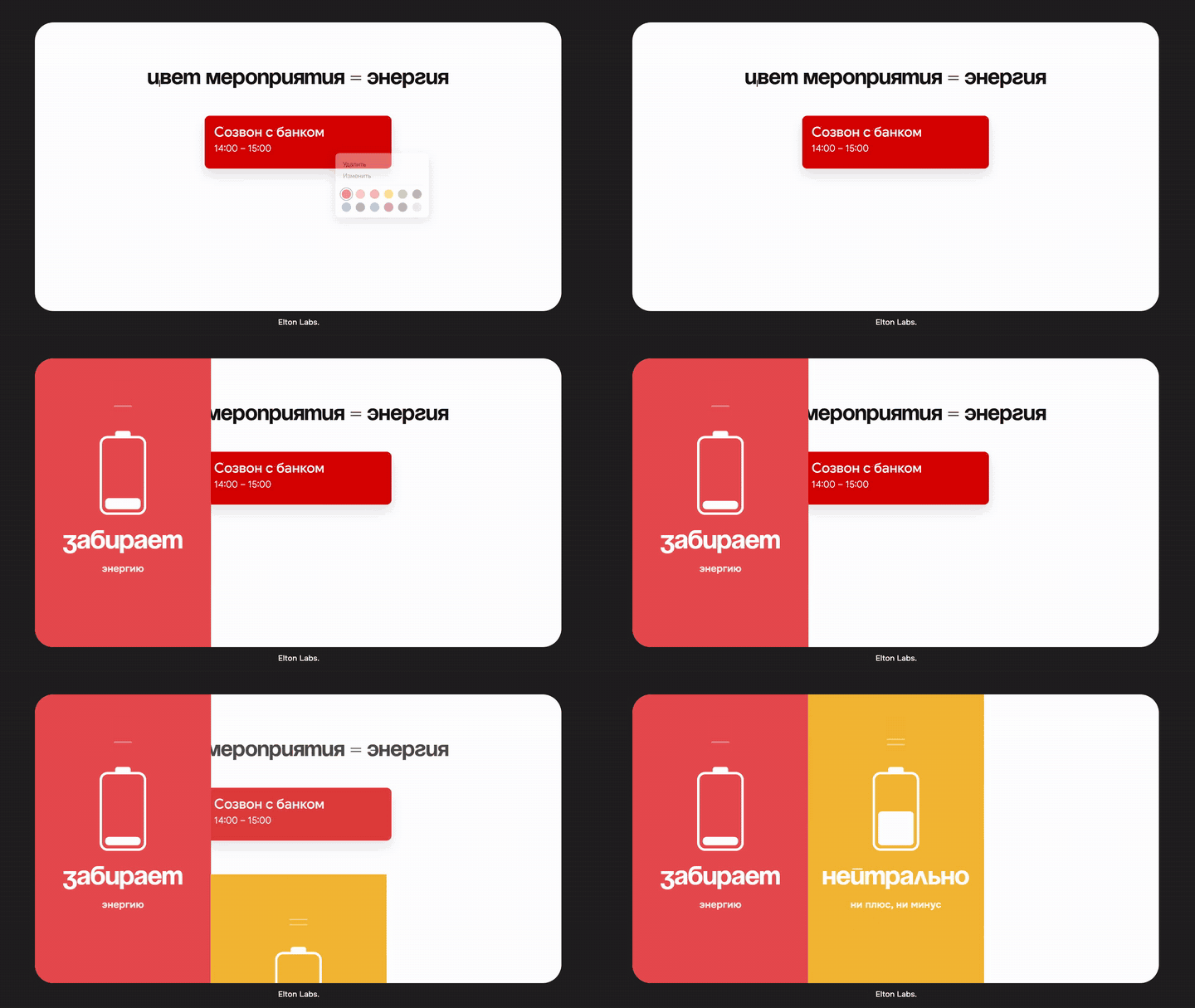
| Colour | Meaning |
|---|---|
| 🟥 Red | drains energy |
| 🟨 Yellow | neutral |
| 🟩 Green | gives energy |
Look at your week and it’s obvious: if it’s all red, you’ll burn out soon. So add something green — a walk, sport, meeting friends.
Key tip — set things to repeat
For example, “pay the bills” can repeat once a month, cleaning — once a week.
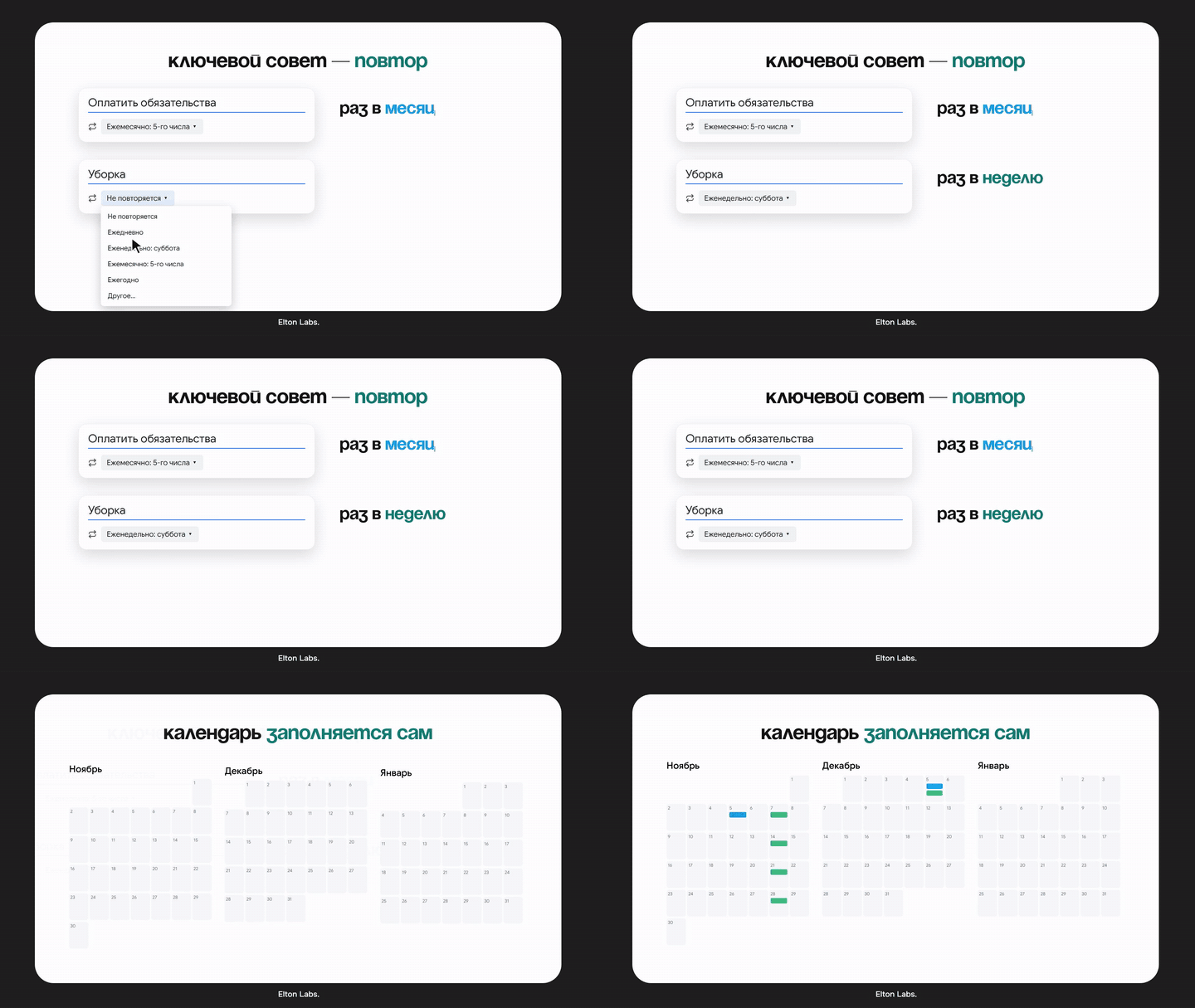
That gives you a base calendar that fills itself in, so you don’t have to rebuild it every time.
Google Calendar is the background
Short reminders, events, everyday chores. You can’t write out a big task there, but the schedule shows everything at a glance. My morning starts with it. If that’s enough for you, you can stop at this tool.
Tool 2. Obsidian
Everything I actually think about — projects and main plans — lives in Obsidian. So next I open Obsidian and go to today’s note. It immediately shows the tasks I didn’t finish yesterday.
Obsidian stores notes locally, on your computer. So you can write freely about both work and personal things without worrying about privacy.
The daily note
I’ve designed my daily note my own way — you can download my system’s template here. How I keep it, in detail: How I keep daily notes in Obsidian.
If you're just starting
Use plain Obsidian: Settings → Core plugins → Daily notes — turn it on. That’s it. It’s enough to write down tasks and thoughts every day.
I’ve added sync with Google Calendar to my note. So before taking on new project tasks, I first check how busy I am and try not to overload the day.
The “Morning” button
Right in my daily note there’s a “Morning” button — my 15-minute ritual before work:
- Breathing — to calm the nerves.
- Gratitude — things I’m grateful for.
- Intention for the day — what I’m doing all this for today.
Sounds simple, but that’s how the day starts calmly instead of with panic about “I’ll never get it all done”.
Projects — kanban and a couple of tasks a day
I run work projects as simple kanban boards with three columns: tasks (or ideas) → in progress → done. Every day I take a couple of tasks from the projects — not many. I showed how project tasks get into the daily note in earlier episodes — My ideal productivity system and How I keep daily notes in Obsidian.
New trick — tasks scheduled ahead
In any note I write @tomorrow or a specific date and then describe the task in as much detail as I like. When that day comes, the task appears in the daily note by itself — automatically.
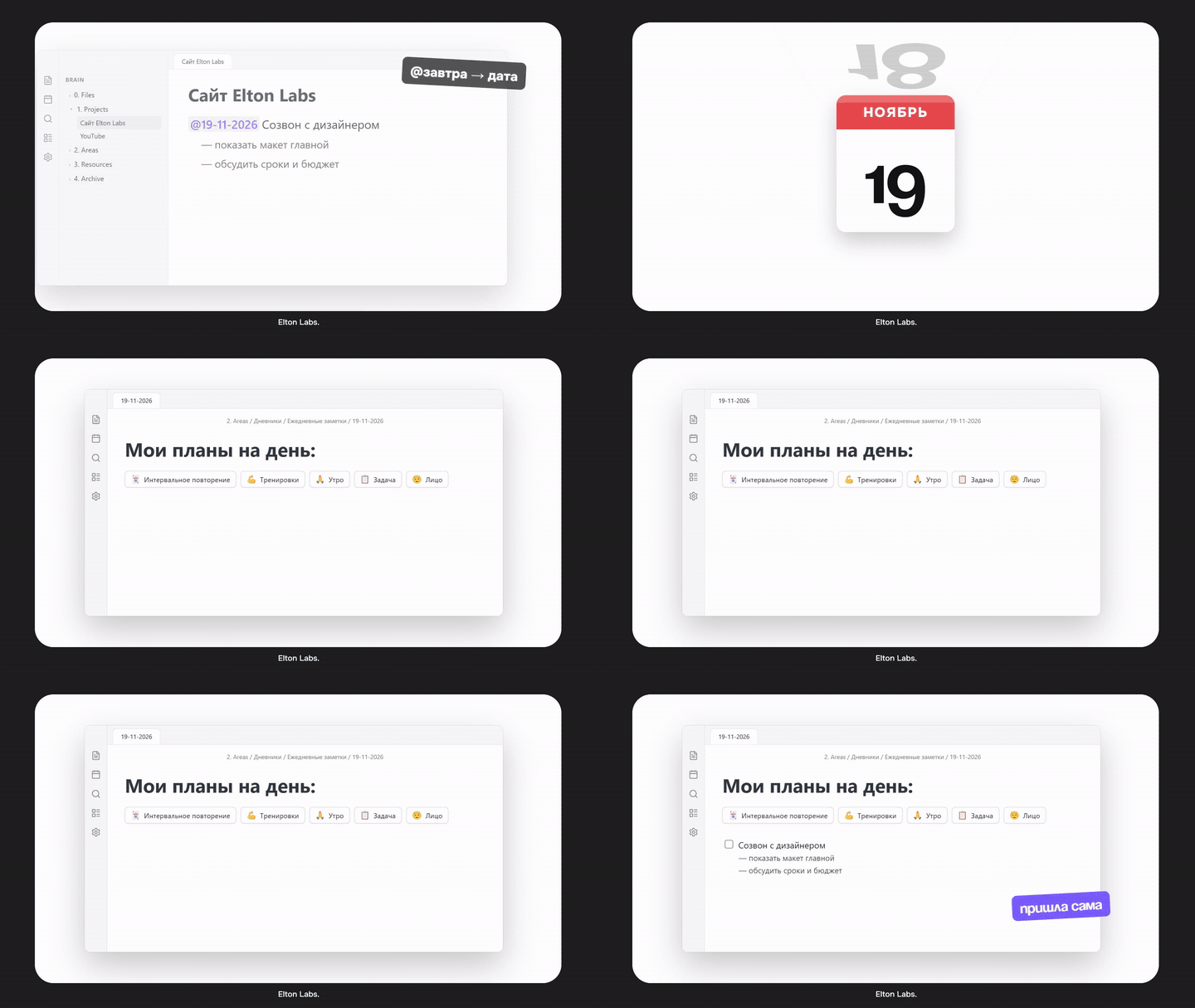
This is exactly what Google Calendar lacks: you can’t write out a big task there, but here you can — in a convenient form and as much as you want.
Not just work
In Obsidian I keep not only work but also notes about places, friends and books. For example, I open today’s note and my parks note side by side, pick where to go today and plan the trip right there.
And the main thing I love Obsidian for is minimalism. There’s nothing extra: no feed, no notifications, and you don’t even need the internet, because everything is stored locally. When I write my thoughts without pressure, I feel alive. Daily notes have become part of my routine — one that calms my nervous system and frees up my head.
Why people abandon productivity systems
The most common question: “Why start if I’ll give up anyway?” Most often people abandon a system for two reasons.
1. Goals that are too high
The bigger the gap between what you want and what you can do right now, the more energy goes into the inner struggle. In the end anxiety sets in and you lose heart.
2. Overload
This is the Yerkes–Dodson law: moderate stress boosts productivity, excessive stress kills it.
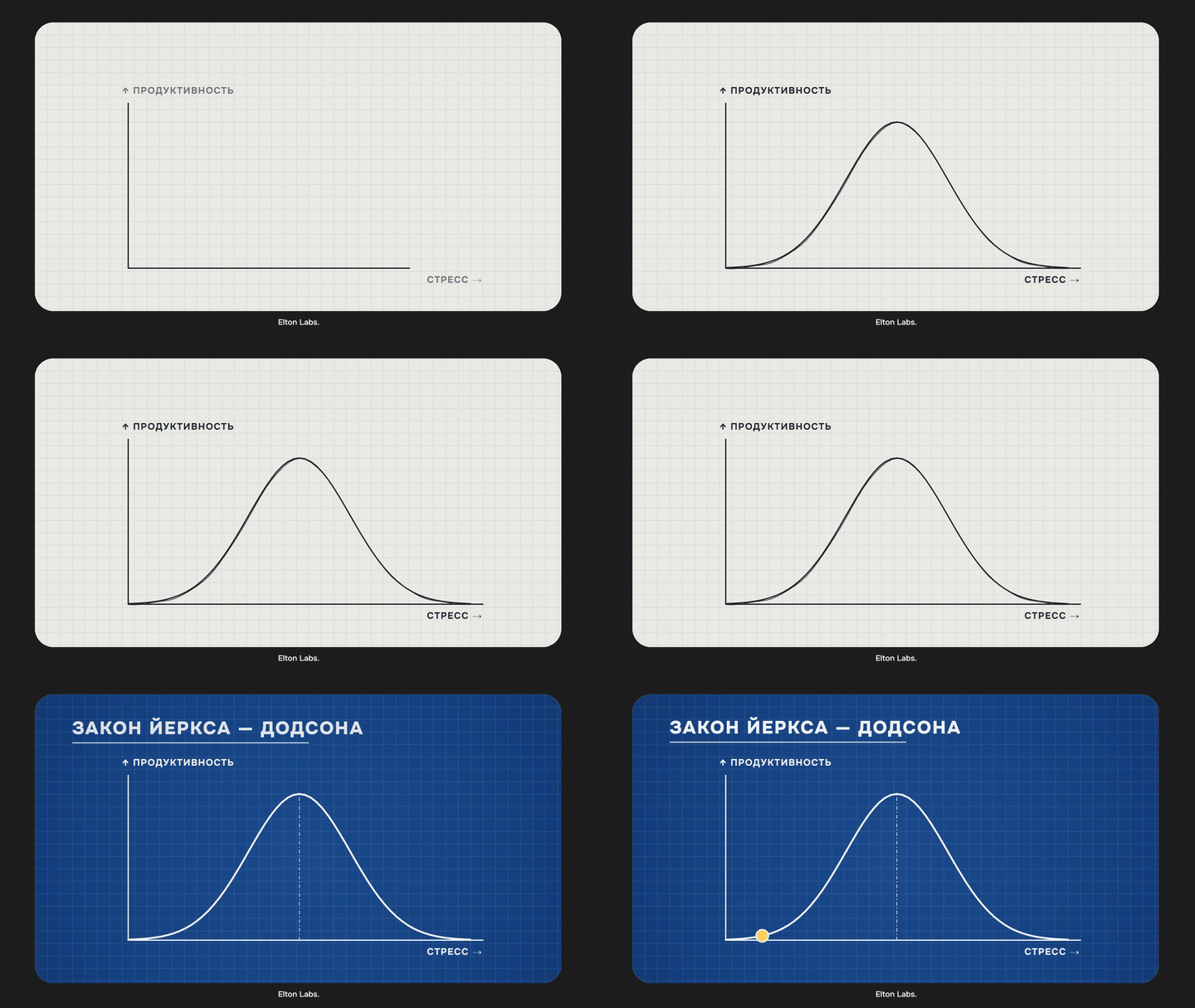
That’s why I take only a few tasks from each project.
The rule
Better 3 tasks done than 15 planned.
The four energy batteries
To keep the system from squeezing me dry, an idea from “The Power of Full Engagement” by Jim Loehr and Tony Schwartz helped a lot: the main resource of productivity is energy, not time. And it comes in four kinds.
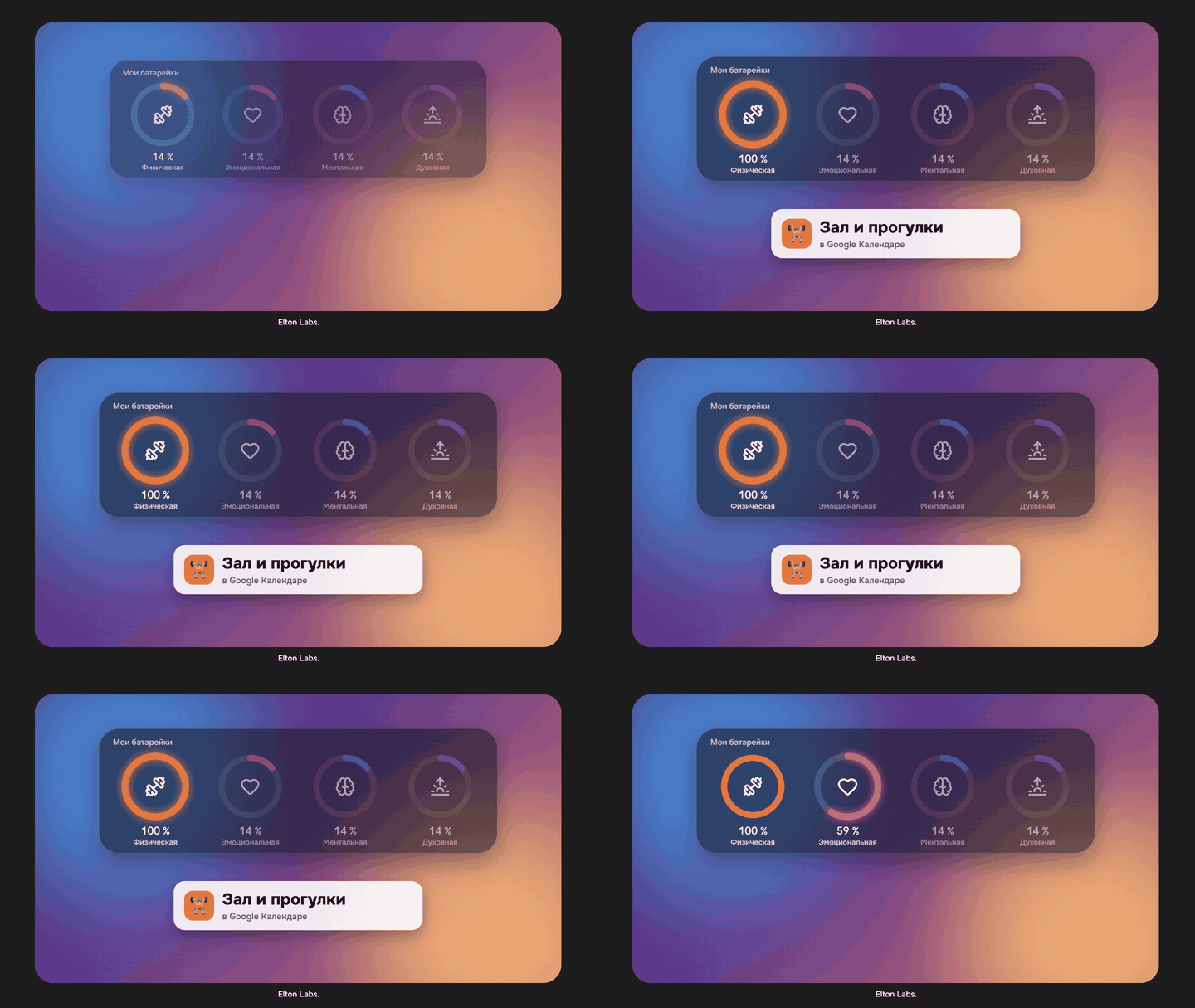
| Energy | What it is | How I do it |
|---|---|---|
| 💪 Physical | sleep, sport, food | gym and walks in the calendar |
| ❤️ Emotional | people and what makes you happy | meeting friends, my parks note |
| 🧠 Mental | focus | projects, a couple of tasks a day |
| 🙏 Spiritual | the meaning behind what you do | the “Morning” button: gratitude and intention for the day |
If a system only accounts for work, it will squeeze you dry — and you’ll simply drop it. If there’s room for all four, it’s easy to stick with.
Summary
- Google Calendar — routine, rhythm and an energy balance by colour.
- Obsidian — projects, tasks scheduled ahead, mornings and personal life.
- To stick with it — don’t set impossible goals, don’t overload yourself, and recharge all four batteries.
In the next episode I’ll show how I got my phone in order: how I stopped drowning in information and dealt with dopamine addiction. If that sounds interesting, let me know in the comments under the video.