A personal knowledge base for Obsidian
All your notes, plans, books, habits and an AI assistant — in one place. Everything is already set up and works with buttons. One payment, no subscriptions.
One payment — $39. International cards are fine; access lands on the email you enter at checkout.
Payment page will not open or the card is declined — write to us on Telegram and we will send another way to pay.
For any questions — Telegram: @anton_sway The payment is one-time — you pay once and get everything.
🤔 Hearing about Obsidian for the first time? Click here
Obsidian is a free note-taking app. Imagine a smart notebook that lives on your computer and phone: you write notes, and the program connects them with each other itself.
- All the notes are stored on your device — nothing gets lost or goes into someone else’s cloud.
- Works on a computer, phone and tablet.
- Free in itself. My System is a ready setup on top of it, so you don’t have to assemble anything by hand.
The main thing: you don't need to be a techie
No programming. You don’t need to set up or “replace” anything — it’s all already assembled and works. You just open it and use it like an ordinary app. Control is via buttons.
One payment — and it all stays with you for good.
2 990 ₽ once, no subscription. A 22-lesson Obsidian course, lifetime updates at the press of a button, a private knowledge base with step-by-step setup, AI inside your notes without a VPN, and a community that answers questions.
More than 300 people already use the System. Reviews are further down this page.
Who is the System for?

You lack order
Files, thoughts, plans and ideas are scattered across different places, and something is always getting lost.
You want to work with AI — without a VPN and complications
Tired of switching between Notion, Google Calendar and ChatGPT. You want everything in one place.
You don't have time to figure out new programs
To master Obsidian from scratch usually takes weeks of trial and reading forums. Here everything is already ready.
You lack focus
Unnecessary buttons, plugins and settings are removed — only what helps you work remains.
What you get
These are six connected parts that work as a single whole:
I'll be honest: the price has grown, because what you're buying has grown.
This is no longer “download it and forget it”. I develop the System regularly — and you pay once and get everything for life, including what comes next.
💸 Seems expensive?
2,990 ₽ — that’s one payment, not a subscription.
Notion, ChatGPT and a cloud for syncing separately are monthly expenses. Here they’re gathered into one system, without a VPN, and they stay with you forever.
And what if it’s hard to figure out?
You won’t be left alone — I’ve taken care of that:
- 🎥 A video guide of almost 90 minutes — I calmly show how everything is built and how to use it.
- 💬 A private chat, where I regularly answer questions and release short explanatory videos.
- 🌱 A simplified version of the System — for those who want to start with the very basics. Essentially, you get two options at once.
- 📝 Clear instructions right inside — next to each function.
I also regularly hold online reviews: I look at your knowledge system through the prism of your life (work, study) and advise how to organise it more conveniently specifically for you.
What’s inside: ready sections
All of this is already created — just start using it:
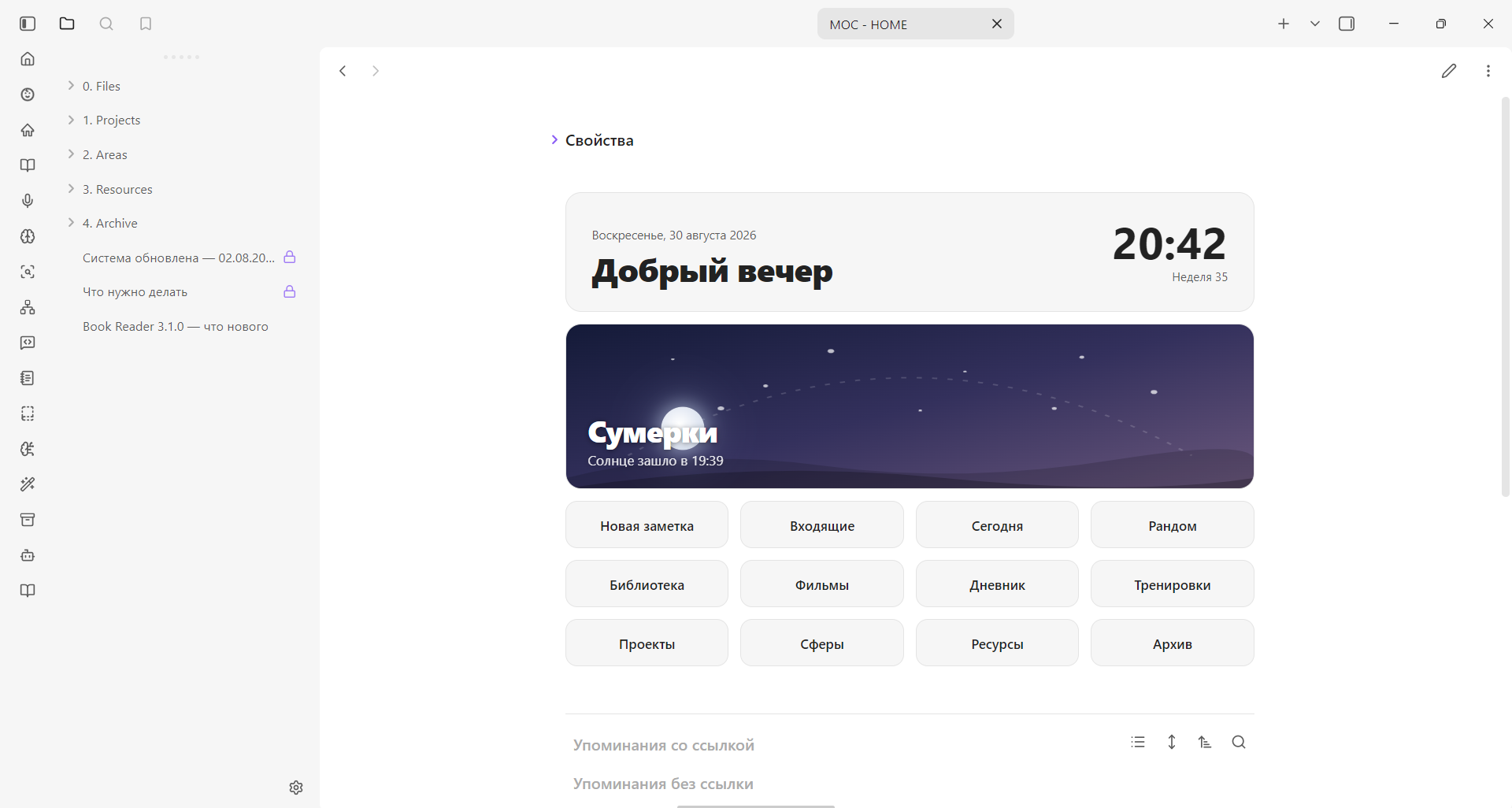
- 🏠 A beautiful home page with buttons for quick access
- 📚 A library and book reading (read right here and save notes)
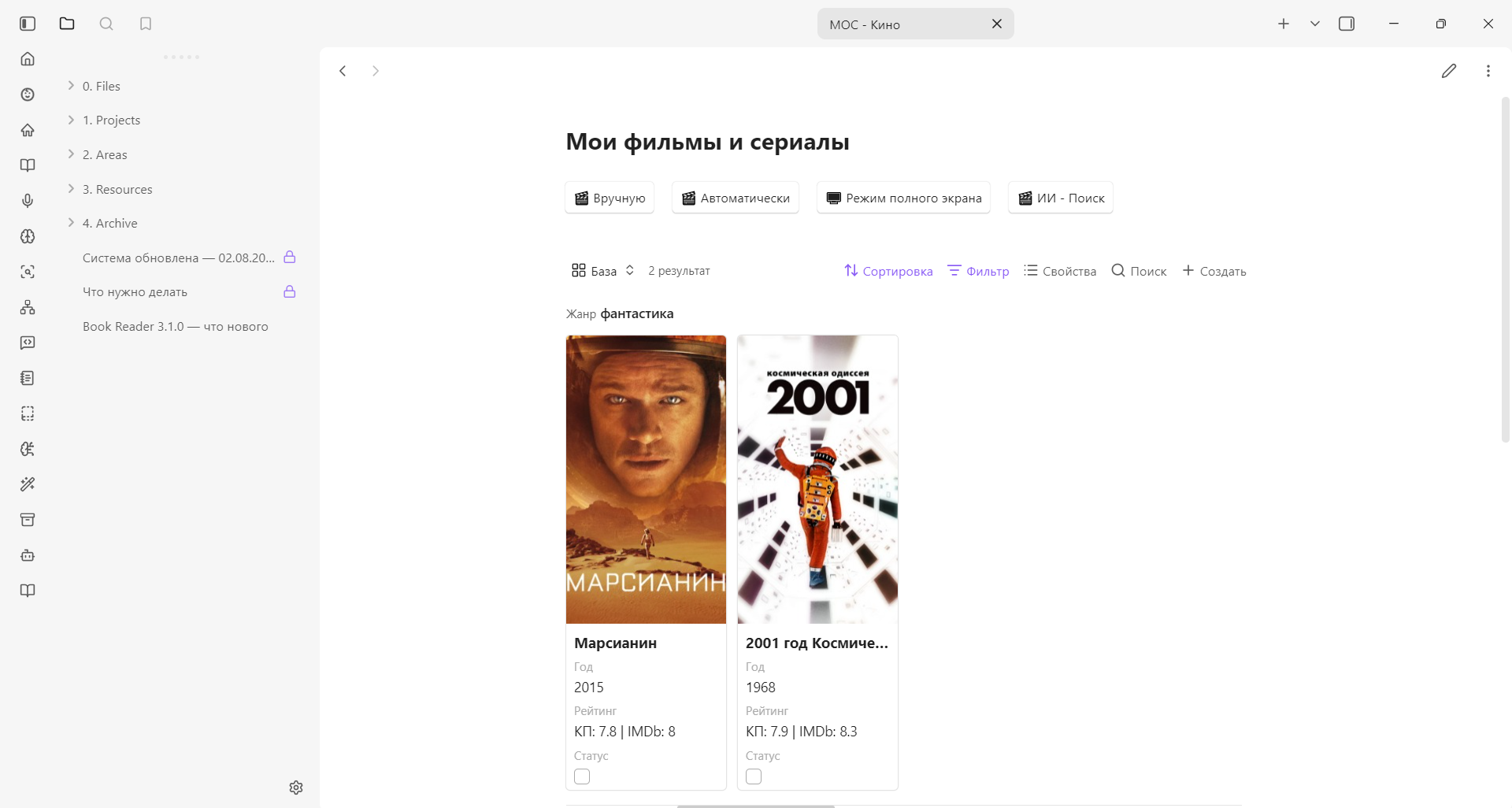
- 🎬 Films and shows
- ✅ Keeping projects and tasks
- 👕 A wardrobe
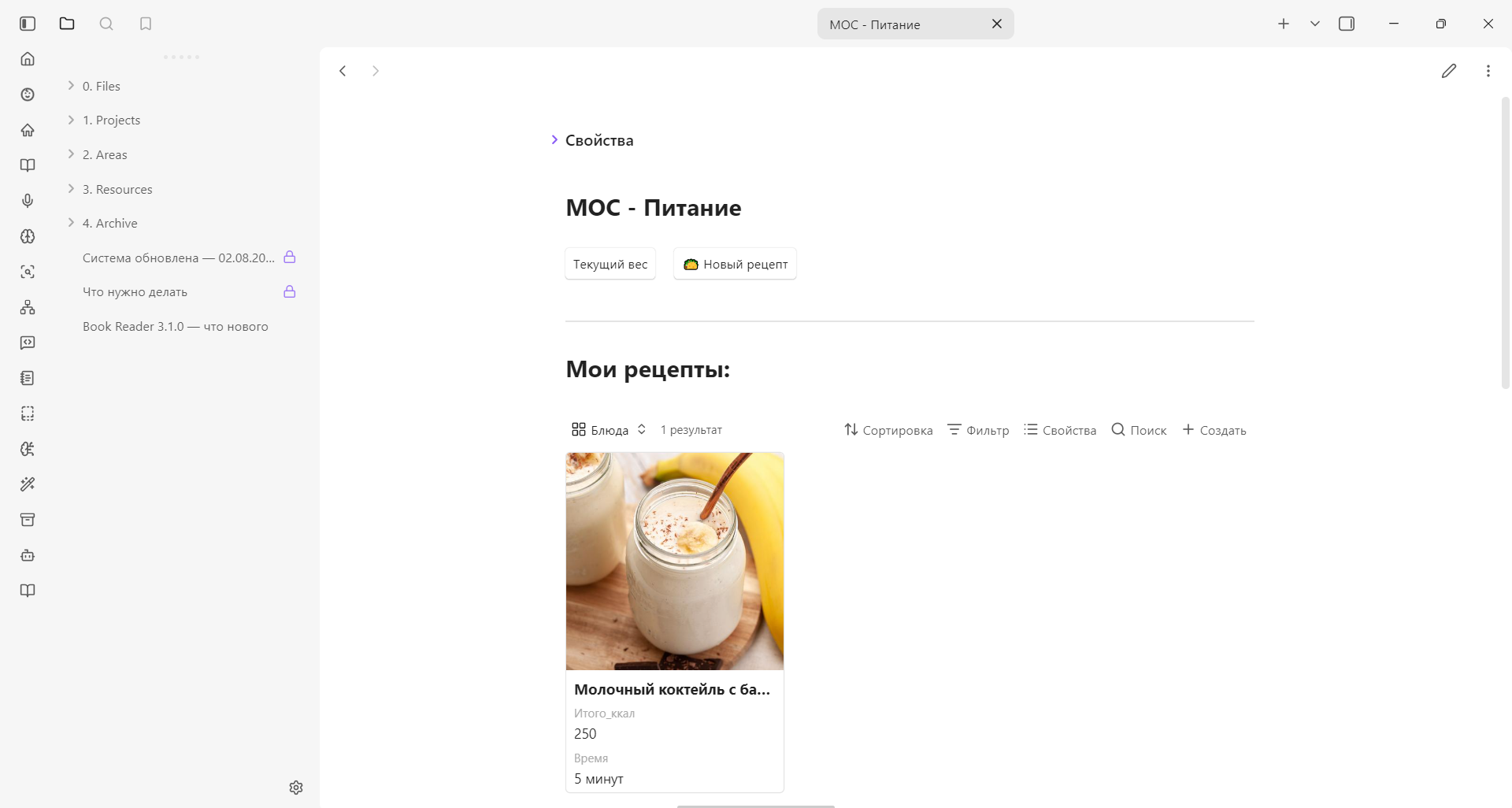
- 🍽 Food, recipes, calories and weight by day
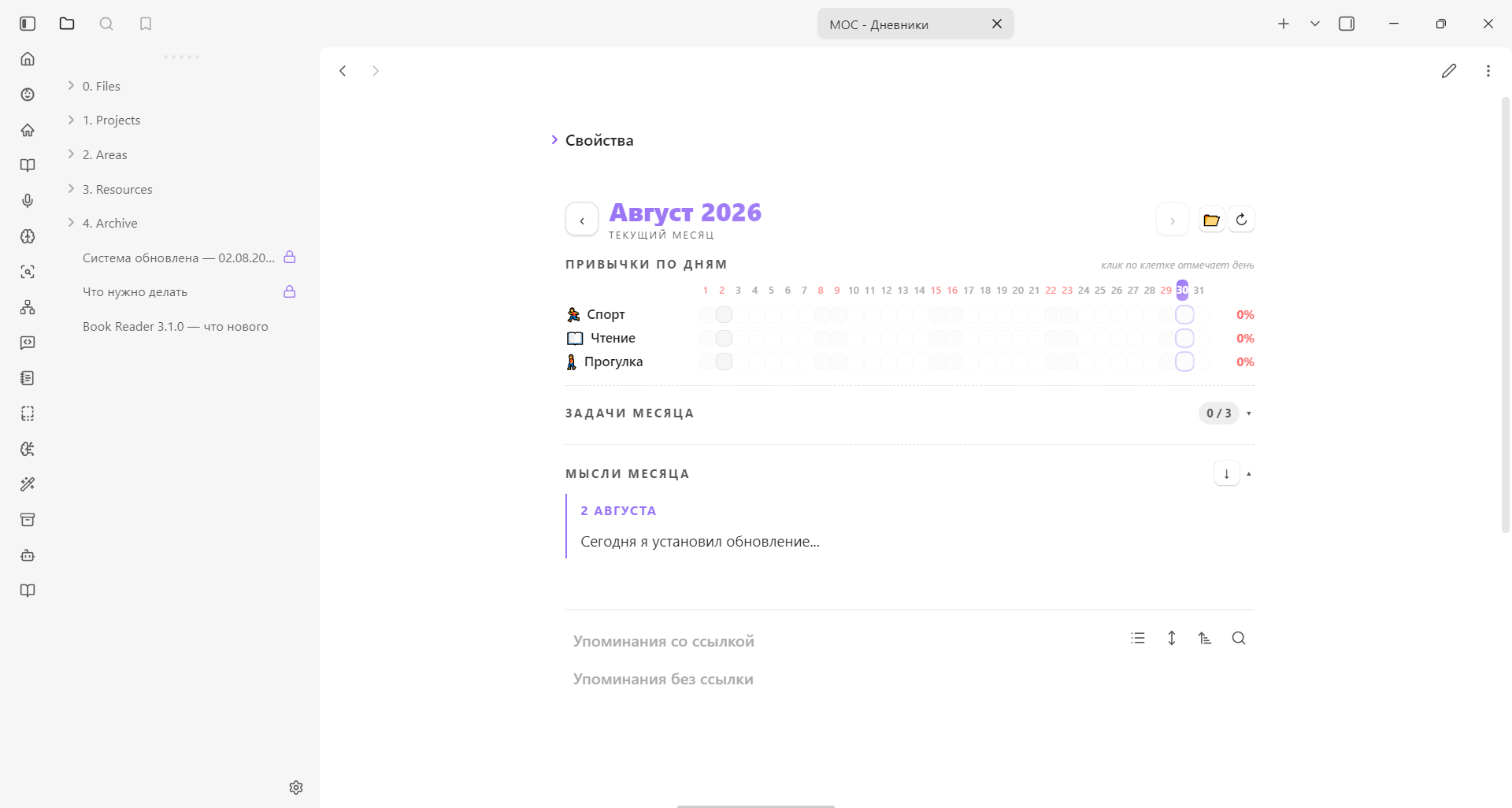
- 🔁 Habit tracking
- 🎨 Drawings and any photos in notes
- 🧠 Flashcards for memorising (spaced repetition)
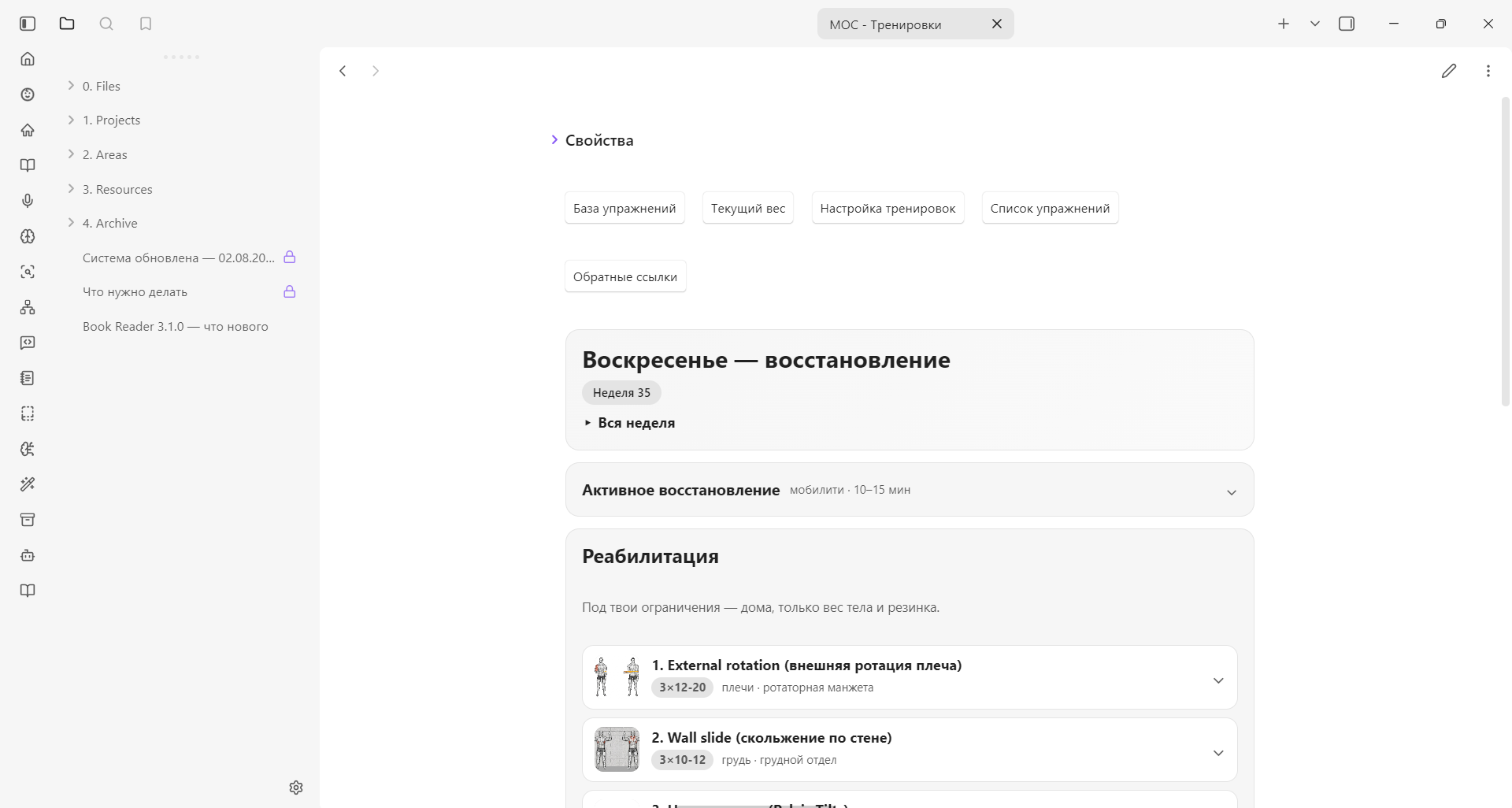
- 🏋️ A workout base
- 📔 A diary: thoughts, tasks, goals and dreams
- 🤖 And a smart AI assistant (more details — below)
By the way, an update came out recently — I added a lot more handy things. Read about it on my Telegram channel — https://t.me/eltonlabs/185

In a word — this isn't a template, but a System for life and knowledge.
One payment — $39. International cards are fine; access lands on the email you enter at checkout.
Payment page will not open or the card is declined — write to us on Telegram and we will send another way to pay.
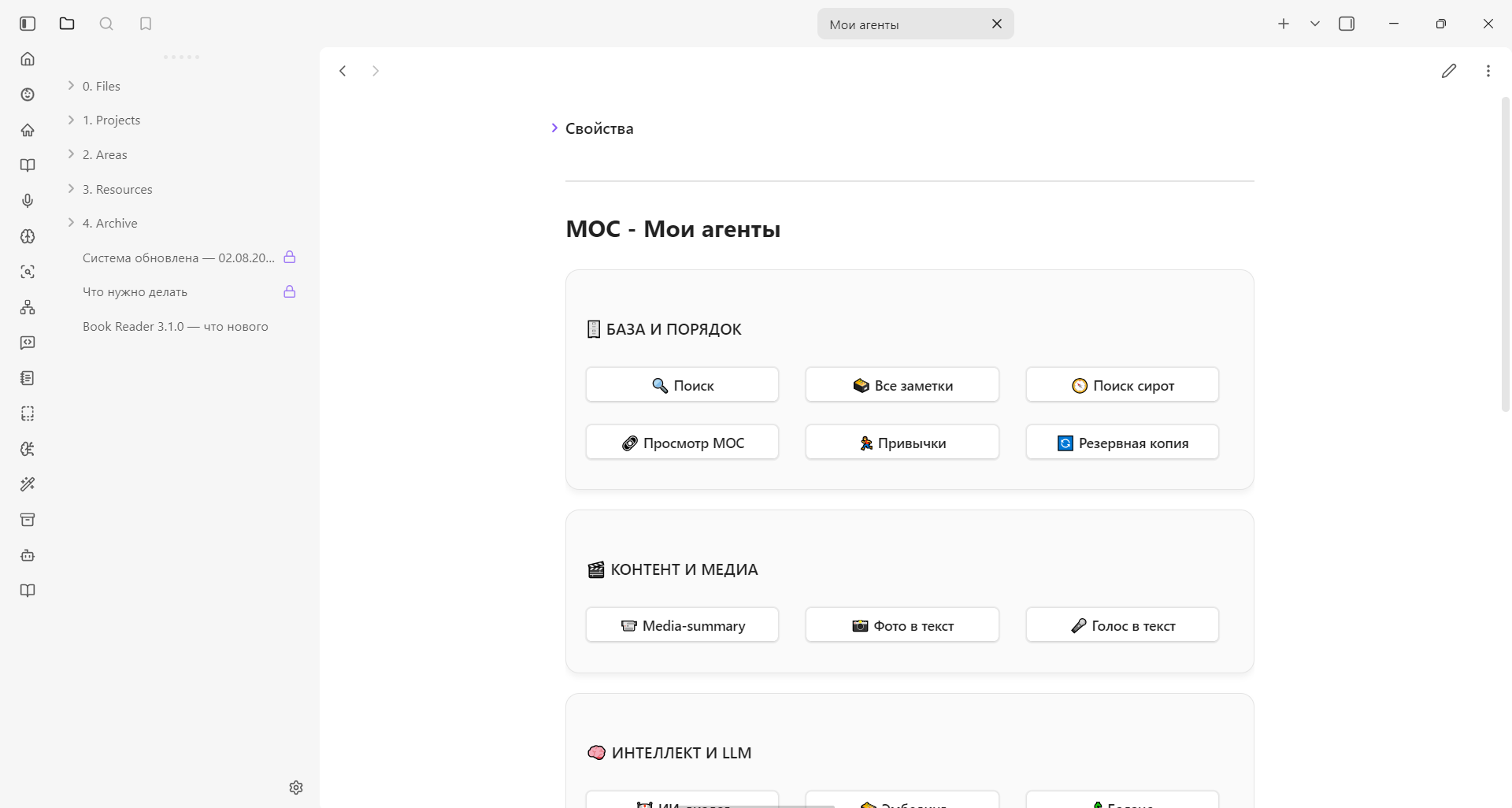
What it actually looks like
Not presentation mock-ups — real screens of the template. Click any of them to look closer.
How it is arranged inside
Not a pile of notes but a sorted system: PARA — four folders where everything has its place, plus a service folder that hides the templates and scripts out of the way.
What the archive actually contains
118 ready notes — not empty stubs but filled examples: months of journals, book and film cards, workouts, recipes. 33 scripts — the AI tools and automations themselves. Navigation maps (MOC) in every section, so you always know where to go next.
A smart assistant right in your notes
The AI is built into the System and helps in a human way — with simple buttons:
- 💬 Ask for advice or discuss a note
- 🔎 Find what you need by meaning across all your notes
- 🎙 Dictate text by voice
- 📸 Turn a photo into text
- 🍎 Count calories from a food description
- 📺 Make a summary of a video, article or PDF
- 📖 Pick a book or film to suit your mood
Important: the AI only works when you call it.
It does not hang in the background, does not load your device and does not transmit anything without your knowledge. You press a button — you get a result.
📋 The full list of all the functions (for the curious)
You don’t have to read it — it all works with buttons. But if you’re interested in what’s inside:
🔍 Smart work with notes
Function What it does Connections Finds similar notes by meaning and suggests what to link them to Search Smart search across all notes + AI gathers an answer on the topic PARA graph Suggests unexpected connections between different notes Backlinks Shows where else a note is mentioned MOC view All the main notes and their connections — at a glance Orphan search Finds lonely notes with no connections All notes Flip through your vault by folder — with arrows or a swipe Map of meanings Builds a map of meanings of your entire vault 🤖 AI agents
Function What it does AI dialogue A full chat with AI right in Obsidian — by note, by internet or by your whole vault Council Several AIs discuss your question and give different points of view Media summary A summary of YouTube, Telegram channels, articles and PDFs News A feed from your favourite sites and blogs right in Obsidian AI drawing Analyses a note and builds a beautiful diagram for it Voice note You dictate text — it appears in the note Photo to text Turns any photo into text Your own photo Inserting a photo from the camera or files into a note ✅ Productivity and tracking
Function What it does Task Adds a task from the project board into today’s note Habits A convenient habit editor — everything updates itself Calories The AI counts calories from a food description Book picker Picks a book to suit your mood, taking into account what you’ve read Film picker Recommends a film or show you haven’t watched yet Buttons Create a button to open any note — without code Balance Shows the balance on your AI account 🎓 Learning and memory
Function What it does Flashcards (FSRS) Spaced repetition — memorise for the long term New word A word + context → AI explains → adds it to flashcards
One key to all the AIs — without a VPN
The System already has the ObsiMind AI service set up (it’s my personal service). It gives access to all the popular AIs — ChatGPT, Claude, Gemini, Perplexity — without a VPN and without complex settings.
You get one key — and everything works.
And when you buy the System, you can test all the AI functions for free.
What is this service, what are the plans?
More details on the site Obsimind
⚙️ For advanced users: your own keys and local AIs
If you’re technically savvy — you can connect OpenRouter with your own key, as well as local models via Ollama and LM Studio right in your vault. But this is entirely optional — the System doesn’t need it to work.


⭐ Reviews
More than 300 people already use the System — and here’s what they write:


❓ Frequently asked questions
Do I need experience with Obsidian?
No. Everything is explained in the video guide and in the instructions inside. To be sure, you can watch the playlist on YouTube in advance and read the articles on my site.
Is programming required?
No, not at all. Everything is already written, connected and works with buttons. You don’t need to change anything. And if over time you want to adjust something for yourself — it’s done in a couple of clicks, with the built-in AI if you wish.
Does it work without a VPN from Russia?
Yes. The AI functions work without a VPN. There’s also an international mode and a direct connection via OpenRouter.
How long is access granted for?
Lifetime access to everything: the System, updates, materials and the private community. With no time limit — you also get everything that comes out in the future.
Does it work on a phone?
Yes, everything is optimised for the phone. I advise starting on a computer and using the phone for quick notes. On an iPad — it’s especially convenient.
Can I transfer my old notes?
Yes. You just need to move the files into the right folders. There’s a separate article about the transition: telegra.ph/Perehod-iz-starogo-shablona-na-novuyu-05-19
What if something doesn't work out?
Inside there are clear instructions for each function, plus a video guide and a private chat where I help. You won’t be left alone.
Still have questions? Write to me on Telegram — @anton_sway
What’s included in the System
One payment — 2,990 ₽. For life, no subscriptions. Inside:
- 🧩 A ready system: a home page and all the sections — open it and use it
- 🔄 Lifetime updates with one button
- 🤖 An AI assistant and access to all the AIs without a VPN (with a free trial)
- 💬 A private community with no time limit
- 🎥 A video guide of ~90 minutes and a simplified version to start with
- 🧑🏫 Online reviews of your knowledge system
One payment — $39. International cards are fine; access lands on the email you enter at checkout.
Payment page will not open or the card is declined — write to us on Telegram and we will send another way to pay.
© 2026 Elton Labs. All rights reserved.